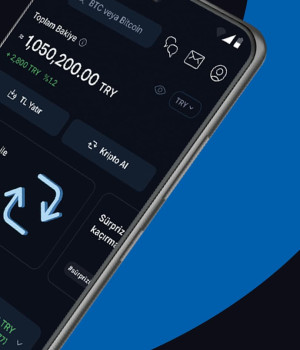
This is an independent review and guide site with no affiliation to BtcTurk. You log in to your BtcTurk account only on the official domains btcturk.com and kripto.btcturk.com, or in the official BtcTurk | Kripto mobile app. Never enter your password, 2FA code or identity documents on this page or on any other third-party website.
I have been in the crypto industry since 2017, and years of blockchain security audits have taught me one uncomfortable truth: users rarely lose money inside the exchange — they lose it at the login step. Three seconds spent clicking a fake ad can wipe out a portfolio built over years. That is why I wrote this page for everyone who types "BtcTurk login" into a search engine: a walkthrough so detailed that you physically cannot make a mistake. We will cover everything, from registration and KYC verification to web login, Face ID sign-in on the app, proper 2FA setup and rescuing a locked account.
What This Page Is — and Why You Can Trust It
Let us be crystal clear: this is not the official BtcTurk website. We are an independent team reviewing one of Turkey's largest crypto exchanges from the outside. Every concrete detail in this guide — the registration flow, the 2FA options, the verification requirements — is based on what the official btcturk.com and kripto.btcturk.com sites publish as of July 2026. If the exchange updates its interface, minor details may shift; the logic and the security principles stay the same.
BtcTurk was founded in Istanbul in 2013 and, according to company statements, serves more than 5 million users. With Law No. 7518 (July 2024) and the Capital Markets Board (SPK) Communiqués III-35/B.1 and III-35/B.2 of 13 March 2025, Turkish crypto asset service providers entered a formal licensing and supervision regime; keeping at least 95 percent of customer assets in cold storage is now a regulatory obligation, not a marketing promise. We dissected the platform's overall trustworthiness in our is BtcTurk safe analysis; here, the focus is the login itself.
Creating a BtcTurk Account: Step-by-Step Registration (2026)
Before you can log in, you need an account. According to the official site, registration works through two channels: the BtcTurk | Kripto app for iOS and Android, or the web platform at kripto.btcturk.com. Both lead to the same account — whichever channel you register with, you can sign in from the other. You must be at least 18 years old, and identity verification under the rules of MASAK (Turkey's Financial Crimes Investigation Board) is mandatory. Here is how the process runs:
- Download the official app or type the official address yourself. Search for "BtcTurk | Kripto" in the App Store or Google Play and verify that the developer is BtcTurk — fake clone apps have appeared in the past. If you prefer the web, type kripto.btcturk.com into your browser by hand. Do not click search-engine ads; you will see exactly why in the phishing section of this guide.
- Register your email and phone number. Use an email account that only you can access — account recovery links and device confirmation emails will land there. A mobile number registered in Turkey is also required; SMS OTP codes are sent to it. Both must be verified with one-time codes during sign-up.
- Set a strong, unique password. My auditor's recommendation: at least 14 characters mixing upper and lower case, digits and symbols, never used on any other site. Use a password manager. Password strategies that rely on human memory inevitably degrade into reused passwords, and a single data breach elsewhere then opens every account you own.
- Complete KYC identity verification. According to the official site, Turkish citizens verify with their national ID card and foreigners with a passport. The process involves uploading a photo of the document plus a selfie or short video for liveness checking; some verification tiers may also confirm identity via the state e-Devlet system. This step is required by MASAK anti-money-laundering rules — without verification you cannot deposit or withdraw.
- Wait for the confirmation email and account activation. Documents are usually checked automatically within minutes; during busy periods, or if the image quality is poor, manual review can take a few hours. Glare, cropped corners and blur are the most common rejection reasons — photograph your ID on a flat surface in daylight.
- Make your first TRY deposit via EFT or FAST. Once approved, you can send Turkish lira only from a bank account registered in your own name. Transfers from third-party accounts are returned under MASAK rules. FAST transfers arrive instantly around the clock; classic EFT settles during banking hours.
The ID-plus-selfie verification is a one-time procedure — but if you lose your 2FA device or your account is flagged for a suspicious-activity review, BtcTurk support may ask you to verify your identity again. Check the expiry date of your ID document; an expired document cannot pass verification.
Logging In on the Web: kripto.btcturk.com
Your account is ready — now for the main event. A web login feels like a routine chore, yet roughly nine out of ten successful attacks happen precisely here. Run through the following flow with the same discipline every single time:
- Type the address by hand or use your own bookmark. Enter kripto.btcturk.com into your browser, or open a bookmark you created yourself earlier. Googling "btcturk login" and clicking the first ad is the number-one hunting method of fake sites. Confirm in the address bar that the domain is exactly btcturk.com or kripto.btcturk.com and that the TLS padlock is present.
- Enter your email and password. If you use a password manager, autofill working is itself a positive signal: managers only fill credentials on the registered domain, so on a fake site autofill stays silent. If your password is not being filled in, stop and re-check the address before typing anything.
- Enter your 2FA code. With two-factor authentication enabled (it should be — more on that shortly), enter the one-time code from SMS or the 6-digit code generated by an app like Google Authenticator. Authenticator codes rotate every 30 seconds; if a code expires, wait for the next one instead of hammering the old one.
- Check the device confirmation email. According to the official site, BtcTurk may require email confirmation for logins from a new device or browser. Click the link in that email only if you actually initiated the login. If such an email arrives when you were not logging in, change your password immediately — someone has your credentials, and 2FA was the last line that held.
- Review your session and log out when done. The session management screen in account settings shows all active sessions and lets you terminate any you do not recognize. Never tick "remember me" on a shared or work computer, and always log out when you finish.
Logging In on the App: Face ID and Fingerprint
The first login in the BtcTurk | Kripto app is identical to the web: email, password, 2FA code. The difference starts afterwards. The app lets you enable quick sign-in through your device's biometric hardware — Face ID or fingerprint. With biometrics active, your password is no longer typed on every launch, which is both convenient and a genuine defense against shoulder surfing in public places.
Auditor's note: biometric login unlocks the device-side shortcut, not the account itself. If you lose your phone, the account is still protected by your password and 2FA — but if your phone lock is weak (a trivial PIN, a swipe pattern), the biometric convenience turns against you. Use a strong device passcode, keep the operating system updated, and install the app only from the official stores. "BtcTurk apps" shared as APK files are the classic Trojan horse of the crypto world — never install one under any circumstances. If you are unsure where to download from, use the download links on the official btcturk.com site.
One practical detail: biometric login does not migrate automatically when you change phones. On the new device you must perform a standard login with email, password and 2FA, then re-enable biometrics. This is exactly why you should never neglect your password and 2FA backups just because "my fingerprint handles it".
Setting Up 2FA Properly: Why an Authenticator Beats SMS
Two-factor authentication is the mechanism that keeps your account alive even after your password is stolen. According to the official site, BtcTurk offers two methods: SMS OTP (a one-time code texted to your phone) and authenticator apps such as Google Authenticator (a code generated on your device, rotating every 30 seconds). Either is vastly better than nothing — but there is a serious security gap between them.
SMS depends on telecom infrastructure. In a SIM-swap attack, a fraudster convinces the mobile operator to move your number onto their SIM, and from that moment your SMS codes are delivered to the attacker. An authenticator app generates codes entirely offline inside your phone; compromising your carrier achieves nothing. Recall the June 2024 hot-wallet incident: BtcTurk suffered an attack estimated at 48–55 million dollars, cold wallets were untouched, and user balances were covered by the company — the full post-mortem lives in our trust and safety review. The lesson is simple: exchange-side risk can never be driven to zero, so the defenses on your side — 2FA and withdrawal address whitelisting — must be at maximum strength.
- Install an authenticator app. Set up Google Authenticator, Aegis or another reputable TOTP app. Ideally keep it separate from your password manager; storing passwords and 2FA seeds in the same vault creates a single point of failure.
- Open the 2FA section in account settings. After logging in, go to the security settings and start the authenticator-app option. The screen shows a QR code with a plain-text setup key underneath it.
- Scan the QR code and back up the key. Scan the code with your authenticator app. Then write the plain-text key on paper and store it somewhere physically secure — that key lets you restore 2FA on a new device within minutes if your phone is lost. Never save it as plain text in your email or cloud notes.
- Confirm the setup by entering a generated code. Type the 6-digit code shown by the app into the BtcTurk screen. This proves the QR code was scanned correctly and the time synchronization works.
- Enable withdrawal address whitelisting. Once 2FA is live, take one more step: activate the withdrawal whitelisting feature offered on the official site. Crypto can then only be withdrawn to addresses you approved in advance — even a fully compromised session cannot redirect funds to an attacker's address.
When setup is done, verify this trio: (1) the authenticator app produces a fresh code every 30 seconds, (2) the paper backup of the setup key is in your safe, (3) you logged out and back in to confirm 2FA is genuinely enforced. This three-minute test spares you days of waiting on support tickets in a real emergency.
Login Problems and Fixes: The Auditor's Table
Over the years, virtually every login complaint I have seen from users falls into one of the six categories below. Read the table before you panic; most issues resolve within five minutes.
| Problem | Likely Cause | Fix |
|---|---|---|
| Forgotten password | Password not remembered or password-manager entry lost | Use the reset link on the login screen; set a new password via the link sent to your registered email. Withdrawals may be temporarily restricted after a reset — a standard security measure. |
| SMS code not arriving | Carrier delay, Do Not Disturb mode, full SMS inbox, foreign SIM | Wait a minute or two and request a new code; restart the phone; clear space in the SMS inbox. If it persists, check bulk-SMS blocking with your carrier. The permanent fix: switch to an authenticator app. |
| Account temporarily locked | Repeated failed password or 2FA attempts | Wait out the lock period or contact support. If the attempts were not yours, treat it as an attack signal: change your password the moment the lock lifts, then review active sessions. |
| 2FA device lost or broken | Phone lost, factory reset, app deleted | If you kept the paper backup, enter the key on a new device — done. Without a backup, open a support ticket; re-verification with identity documents is required and can take several days for security reasons. |
| AML / MASAK review hold | Suspicious-activity algorithm triggered, source-of-funds documents awaited | Provide every document support requests (source of income, transfer explanations) completely and promptly. These holds are a legal obligation; restrictions lift once documents check out. |
| App will not open / login screen freezes | Outdated app version, cache issue, OS incompatibility | Update the app, clear its cache, or reinstall it from the official store. Use the web login as your alternative channel in the meantime. |
If none of the scenarios in the table solves your problem, use only the support channels reachable through the official site. Every account that contacts you first on social media claiming to be "the support team" — every single one, no exceptions — is a scammer. Real exchange support never messages you first, and never asks for your password or a 2FA code.
Phishing and Fake Sites: The Biggest Threat at Login
Now for the most critical section of this guide. The search phrase "btcturk login" is a favorite hunting ground for crypto fraudsters targeting Turkish users, and this is a documented, repeatedly observed attack vector — not a hypothetical. The template never changes: a fake ad is placed in the search results, it points to a domain that contains the word btcturk but is not official, and the page is a pixel-perfect copy of the real login screen. You enter your email, your password, even your 2FA code; the attacker relays them to the real site within seconds, and your account is emptied.
Phishing warning: BtcTurk has exactly two official domains: btcturk.com and kripto.btcturk.com. Never reach the login page through search-engine ads; always type the address yourself or use your own bookmark. BtcTurk will never — by phone, email, SMS or on any website — ask you for wallet recovery words (a seed phrase). Anyone asking for a seed phrase is a fraudster, without exception. Now that you have read this line, "I did not know" is no longer available to you.
Here are concrete ways to spot a fake site. First, read the address bar character by character: any address that says btcturk but ends in a different extension, squeezes in a hyphen or an extra word (for example btcturk-login, btc-turk, or btcturk followed by a foreign domain) is fake. Second, check the TLS padlock but never trust it alone — fraudsters obtain free certificates too; the padlock only proves the connection is encrypted, not that the other end is BtcTurk. Third, watch your password manager's behavior: if the stored domain does not match, autofill stays silent, and that silence is the most reliable alarm bell you own. Fourth, treat every email that pressures you with urgency — "your account has been suspended, log in immediately" — as fake by default; if such a situation were real, you would see the same notice inside your account after typing the address by hand.
One step further: do not tap links in SMS messages that appear to be signed by BtcTurk either. Sender spoofing is technically feasible, and forged texts can appear in the same thread as genuine notifications. The rule never changes — you see the notification, you open the app or the hand-typed address, and you verify the matter from there.
Account Hygiene After Login: The Checklist
A secure login is not a one-off event; it is a bundle of habits. I recommend running the following list top to bottom every three months — as an auditor, I do exactly the same with my own accounts:
- Unique password: your BtcTurk password must exist on no other platform. A breach of some unrelated site must never open your exchange account.
- Authenticator-based 2FA: an authenticator app instead of SMS, with the setup key backed up on paper in a physical safe.
- Withdrawal whitelisting: withdrawals allowed only to your own cold-wallet and bank channels. Confirm that adding a new address requires additional verification and a delay.
- Session audits: review the active session list regularly and terminate any device or location you do not recognize immediately.
- Email account security: your email is the master key to the exchange account. Enable 2FA on the mailbox as well; otherwise the whole chain snaps at its weakest link.
- Device freshness: keep your phone and computer operating systems updated, never rooted or jailbroken. An unpatched device is an unlocked door.
- Large-balance policy: do not park assets you are not actively trading on the exchange; move long-term holdings to a cold wallet under your own control. The exchange's 95 percent cold-storage rule protects the exchange — your personal cold storage protects you.
You Are In — What Next?
Account open, 2FA armed, whitelist active. Now the enjoyable part begins. Before your first trade, I suggest two reads: our main BtcTurk guide for the platform overview and a first-purchase roadmap, and our BtcTurk price page for live market data and how pricing mechanics work. The full maker-taker fee schedule, along with tactics to reduce what you pay, is broken down in the fees guide. And if you want to understand the exchange from first principles — what it is, what services it offers — the what is BtcTurk page is written exactly for that.
Start small: in your first week, test the complete cycle of depositing, buying and withdrawing with a modest amount rather than committing serious money. Having seen with your own eyes how funds go in, how a trade executes and — most importantly — how money comes back out gives you priceless confidence before you ever work with larger sums.
If You Are Looking for an Alternative Platform
Not entrusting your whole portfolio to a single exchange is a principle I have defended professionally for years, and the June 2024 incident reminded everyone why the principle exists. On the Turkish lira side, BtcTurk is a strong local player; users who want global diversification may consider a long-established, internationally regulated exchange alternative as a second account. Whichever platform you choose, the rules in this guide are identical: official domain, strong unique password, authenticator-based 2FA, withdrawal whitelist.
AUDITOR'S VERDICT
Technically, logging in to BtcTurk is trivial: email, password, 2FA. All of the risk lives in the surroundings — fake ads, clone sites, SIM swaps and neglected backups. A user who types the address by hand, runs an authenticator app, enables the withdrawal whitelist and keeps a paper backup of the setup key reduces the probability of losing funds at the login layer to practically zero. Work through this page once, completely; after that, secure access is a thirty-second routine.
Frequently Asked Questions
I forgot my BtcTurk password — what should I do?
Click the password reset link on the login screen and set a new password via the link sent to your registered email address. Make the new password unique and at least 14 characters long. According to the official site, withdrawals may be temporarily restricted after a reset — that is a normal security measure. If the reset email does not arrive, check your spam folder and confirm you typed the correct address.
The SMS code is not arriving during login — why?
The usual culprits are carrier delays, the phone being in Do Not Disturb mode, a full SMS inbox or a foreign SIM. Wait a couple of minutes, request a new code, and restart the phone. If the problem keeps recurring, the permanent fix is switching to an authenticator app such as Google Authenticator: codes are generated offline, carrier dependence disappears entirely, and the SIM-swap risk is closed off at the same time.
My BtcTurk account is locked — how do I unlock it?
Repeated failed password or 2FA attempts trigger a temporary lock. Wait out the designated period or open a support ticket through the official site. If the failed attempts were not yours, treat it as an attack signal: change your password as soon as the lock lifts, terminate all active sessions, and check the security of your email account too. For MASAK-related compliance holds, you will need to submit the requested documents.
How do I set up 2FA on BtcTurk?
After logging in, open the two-factor authentication section in the security settings, choose the authenticator-app option and scan the QR code with Google Authenticator. Write the plain-text setup key on paper and store it safely — it restores your account within minutes if your phone is lost. Confirm the setup by entering the 6-digit code the app generates, then also enable withdrawal address whitelisting for full protection.
Why can I not log in to BtcTurk?
Check in order: did you type the correct address (kripto.btcturk.com), are your password and 2FA code current, could the account be locked after failed attempts, and is your app up to date? Logins can also be briefly unavailable during scheduled maintenance — check the official announcement channels. If none of that applies, try the app instead of the web (or vice versa) and contact official support. Never enter credentials on third-party sites.
Which is the official BtcTurk login site?
There are exactly two official addresses: btcturk.com and the trading platform kripto.btcturk.com. On mobile, use the official BtcTurk | Kripto app from the App Store or Google Play. Never reach the login page through search-engine ads; type the address yourself or use a bookmark. BtcTurk will never ask for your seed phrase. For the detailed security analysis, see our trust review.